
FreshWater IQ Explained: How Limelight's Smart Water Monitoring System Keeps Your Spa Balanced Automatically
Posted by HTSS Team on Aug 24th 2026
FreshWater IQ Explained: How Limelight's Smart Water Monitoring System Keeps Your Spa Balanced Automatically
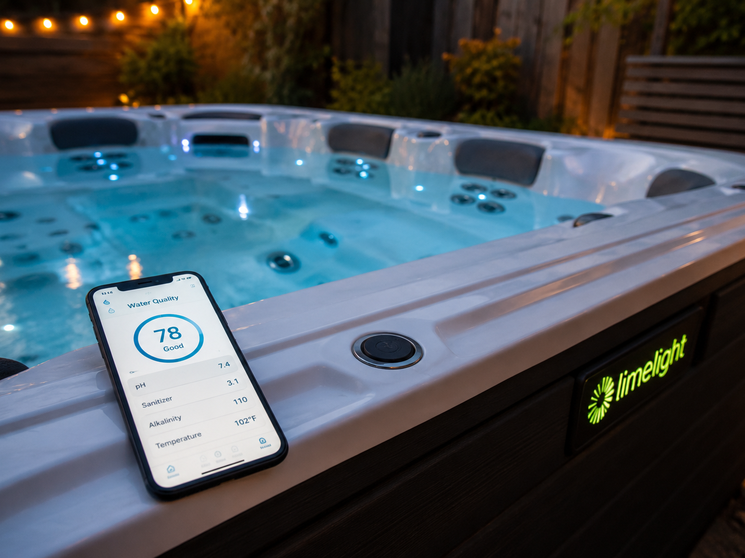
If your Limelight spa came equipped with FreshWater IQ, you have access to something most hot tub owners never get: a system that tests your water every hour, tells you exactly what it needs, and in many cases fixes the imbalance for you before you even notice a problem. That's a meaningful step beyond a standard salt system, and understanding what each piece of FreshWater IQ actually does makes it much easier to get the full benefit of it.
This guide breaks down what FreshWater IQ is, how the monitoring and dosing pieces work together, how to use the app and control panel, the maintenance schedule that keeps everything running, and how to troubleshoot the handful of issues that come up most often.
What Is FreshWater IQ?
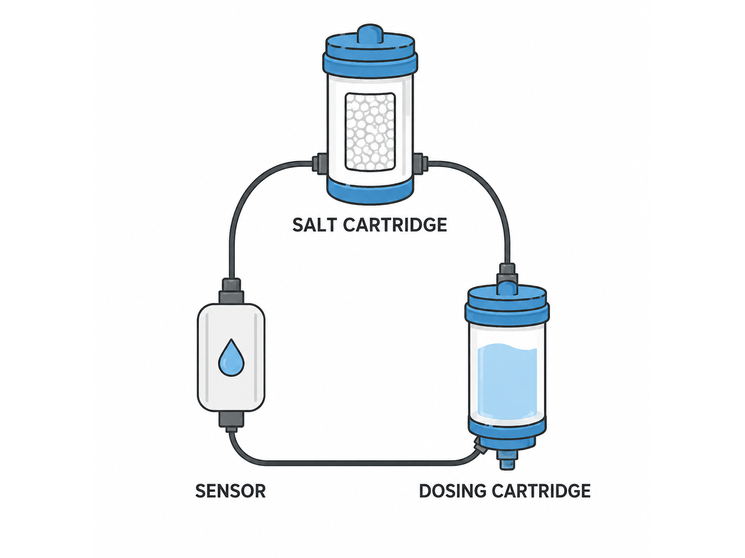
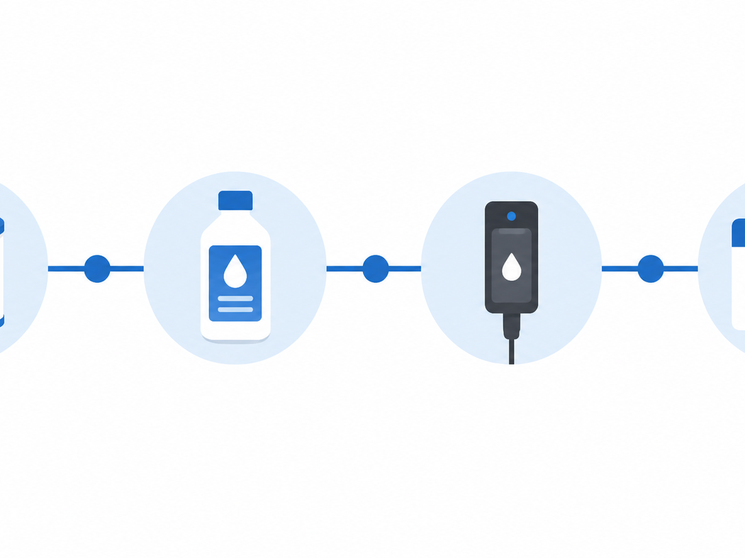
FreshWater IQ isn't a single product. It's three systems working together: the FreshWater Salt System, a Smart Monitoring System, and an automated Dosing System. Together they handle both the sanitizing and the balancing side of spa water care, which are normally two separate chores.
Three Systems in One: Salt, Monitoring, and Dosing
The salt system piece works the same way a standalone FreshWater Salt System does, a titanium cartridge converts dissolved salt into chlorine through electrolysis, sanitizing the water without manual chlorine dosing. The Smart Monitoring piece adds a sensor that reads pH, chlorine, and salt levels directly from inside the spa on an ongoing basis, rather than requiring you to dip a test strip. The Dosing System is the piece that closes the loop: when the monitor detects an imbalance, it can dispense the correct amount of pH increaser or decreaser automatically, or prompt you to approve the dose with a single tap.
How the Hourly Monitoring Works
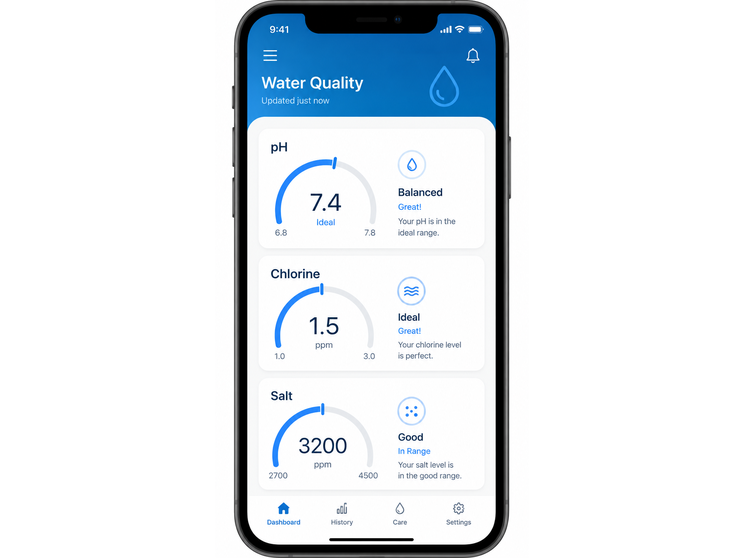
Rather than checking water chemistry once every week or two with a test strip, FreshWater IQ's sensor takes a reading roughly every hour, around the clock. That frequency matters because water chemistry doesn't stay static, bather load, weather, sunlight, and even how often the cover is left open all shift pH and chlorine levels throughout the day. Hourly readings catch drift long before it becomes visible as cloudy water, odor, or skin irritation, and the readings themselves are more precise than a visual test strip comparison, since they come from an electronic sensor rather than a color-matching guess.
Using the App and Control Panel
Auto-Dosing pH Increaser and Decreaser
When the monitoring system detects that pH has drifted out of range, it flags the issue on the spa's control panel or in the companion app. From there, a single tap dispenses the correct measured amount of pH increaser or decreaser from the dosing cartridge, no manual measuring, no guessing at how much to add. This is the feature that turns FreshWater IQ from a monitoring tool into an active water-care system rather than just an alert system.
Other App Features: Clean Cycle, Energy Saving Mode, and Soak Timer
Beyond water chemistry, the app extends to broader spa control: adjusting water temperature, controlling jets and lighting, running a Clean Cycle to freshen circulation, switching into an Energy Saving Mode when the spa won't be used for a stretch, and setting a Soak Timer for a session. None of these are required to keep FreshWater IQ functioning, but they're worth setting up since they're bundled into the same app you'll already be checking for water chemistry alerts.
Setting Up FreshWater IQ on a Limelight Spa
Initial setup follows the same salt-fill process as a standalone FreshWater Salt System (add the specified amount of salt when you fill the spa) plus pairing the control panel or app with the monitoring sensor and loading a fresh dosing cartridge into the Dosing System. Once paired, the app should start showing hourly readings within the first day; if it doesn't, confirm the spa's Wi-Fi connection before assuming the sensor itself has a problem.
FreshWater IQ vs. a Standard FreshWater Salt System
Not every Limelight spa ships with the full FreshWater IQ package. Some come with a standard FreshWater Salt System instead, the same titanium-cartridge chlorine generation, but without the hourly sensor monitoring or the automated dosing cartridge. Both systems use the same underlying salt-to-chlorine chemistry and the same roughly four-month cartridge replacement cycle, so day-to-day sanitizing works the same either way. The difference is entirely in how proactively pH and chlorine imbalances get caught and corrected: a standard system still relies on you to test with a strip every week or two, while FreshWater IQ tests continuously and can correct pH on its own.
If you're not sure which version your spa has, check the control panel for a monitoring/dosing menu or check the app store for whether your spa pairs with the FreshWater IQ app. Ordering a dosing cartridge for a spa that only has the standard salt system won't work, since there's no dosing hardware installed to use it.
Maintenance Schedule
FreshWater IQ reduces manual testing dramatically, but it still relies on a few consumables and a light maintenance routine.
Salt Cartridge Replacement Every Four Months
The titanium cartridge that generates chlorine from salt wears out on the same roughly four-month cycle as a standalone FreshWater Salt System. A cartridge that's overdue is the most common reason chlorine output drops even when salt levels read correctly.
Dosing Cartridge Refills
The pH increaser/decreaser cartridge that supplies the auto-dosing feature needs periodic refilling, how often depends on how frequently the system needs to correct pH, which in turn depends on bather load and environmental factors. The app will flag a low dosing cartridge before it runs dry.
Sensor Cleaning
The monitoring sensor reads more accurately when it's kept free of scale and buildup. Periodic gentle cleaning per the spa's manual keeps hourly readings trustworthy, a sensor caked in mineral buildup can report drifted numbers even when the water itself is fine.
Annual Water Change
As with other FreshWater-based systems, plan on a full drain, clean, and refill roughly once a year under normal use, even though sanitizer consistency from the salt system extends the interval well beyond what manual chlorine dosing typically allows.
Troubleshooting Common Issues
App Not Syncing or Showing Stale Readings
Check the spa's Wi-Fi connection first, a dropped connection is the most common reason the app stops updating, even though the monitoring hardware itself is still working normally.
Readings Seem to Be Drifting or Inconsistent
Inspect and gently clean the sensor per your owner's manual. Scale buildup on the sensor is the most frequent cause of readings that don't match a manual test strip check.
Dosing Cartridge Runs Out Faster Than Expected
This usually reflects heavier bather load or a source-water chemistry that needs frequent correction. If it's happening much faster than the app's typical estimate, a manual water test can confirm whether something else (like total alkalinity) is pushing pH out of range repeatedly.
Chlorine Reading Low Despite a Recent Cartridge Swap
Confirm salt levels are within the specified range before assuming the new cartridge is defective; low salt starves chlorine production regardless of cartridge condition.
FreshWater Chemicals That Support the System
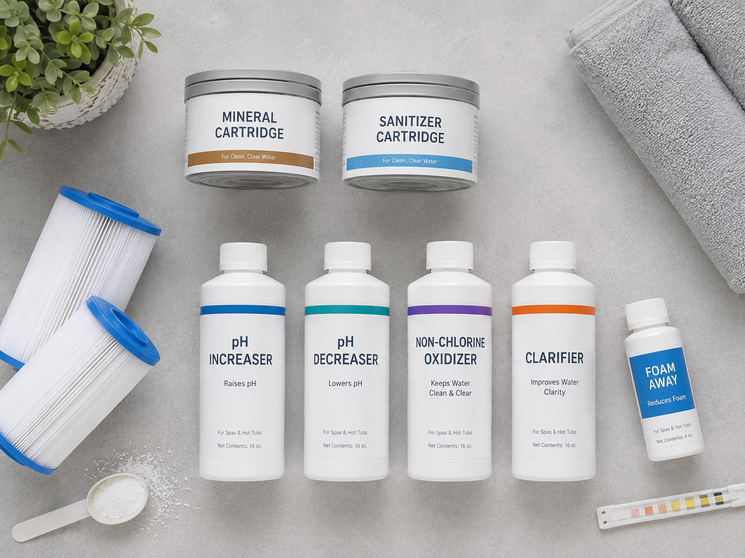
FreshWater IQ automates a lot, but it still depends on having the right cartridges and chemicals on hand, a replacement salt cartridge, dosing solution refills, and occasional manual test strips as a cross-check. Prisco Limelight Supplies stocks FreshWater IQ cartridges and the companion FreshWater Chemicals line sized for Limelight spas, so you're never scrambling for a compatible replacement mid-week.
Frequently Asked Questions
How often does FreshWater IQ actually test my water?
Roughly once an hour, continuously, which is far more frequent than manual test strips and catches chemistry drift well before it becomes a visible problem.
Do I still need to use test strips if I have FreshWater IQ?
Not routinely, but keeping a few on hand as an occasional cross-check is a good habit, especially if app readings ever seem inconsistent with how the water looks or feels.
What happens if the dosing cartridge runs empty?
The app will flag a low dosing cartridge before it's fully depleted. If it does run out, the monitoring and alerts continue working, you'll just need to correct pH manually until a refill is installed.
Can I control FreshWater IQ without the app?
Yes, the spa's physical control panel also displays monitoring alerts and lets you approve auto-dosing, so the app is a convenience rather than a requirement.
Is FreshWater IQ compatible with every Limelight spa?
It's specific to spas built with FreshWater IQ hardware installed. Check your owner's manual or the equipment compartment to confirm whether your Limelight spa has the sensor and dosing hardware versus a standard FreshWater Salt System.
FreshWater IQ's real advantage is catching small chemistry shifts long before they turn into cloudy water or skin irritation, and handling the correction automatically instead of leaving it to you. Keep the salt cartridge on its four-month cycle, keep the dosing cartridge stocked, and give the sensor an occasional cleaning, and the system does the hour-by-hour work of keeping your Limelight spa balanced.